
Use ATLAS.ti without internet access
Key takeaways
- You need an internet connection to download ATLAS.ti and activate your license.
- ATLAS.ti Web always requires an internet connection.
- In ATLAS.ti Desktop (Windows and Mac), you can reserve a license seat and work offline for a limited time.
- Reserving a license seat ensures it remains assigned to you and cannot be used by others.
Who this article is for
Anyone using ATLAS.ti who wants to work offline or ensure a license seat is reserved when using a sharedf license.

Work offline and reserve a license seat
ATLAS.ti normally requires an internet connection to start the application and verify your license. However, in ATLAS.ti Desktop (Windows and Mac), you can use the Offline Availability feature to reserve a license seat and continue working offline for a selected period. Reserving a seat means:
- The seat is assigned only to you
- Other users cannot take the seat during the reserved period
- You can continue working without an internet connection
How to reserve a license seat
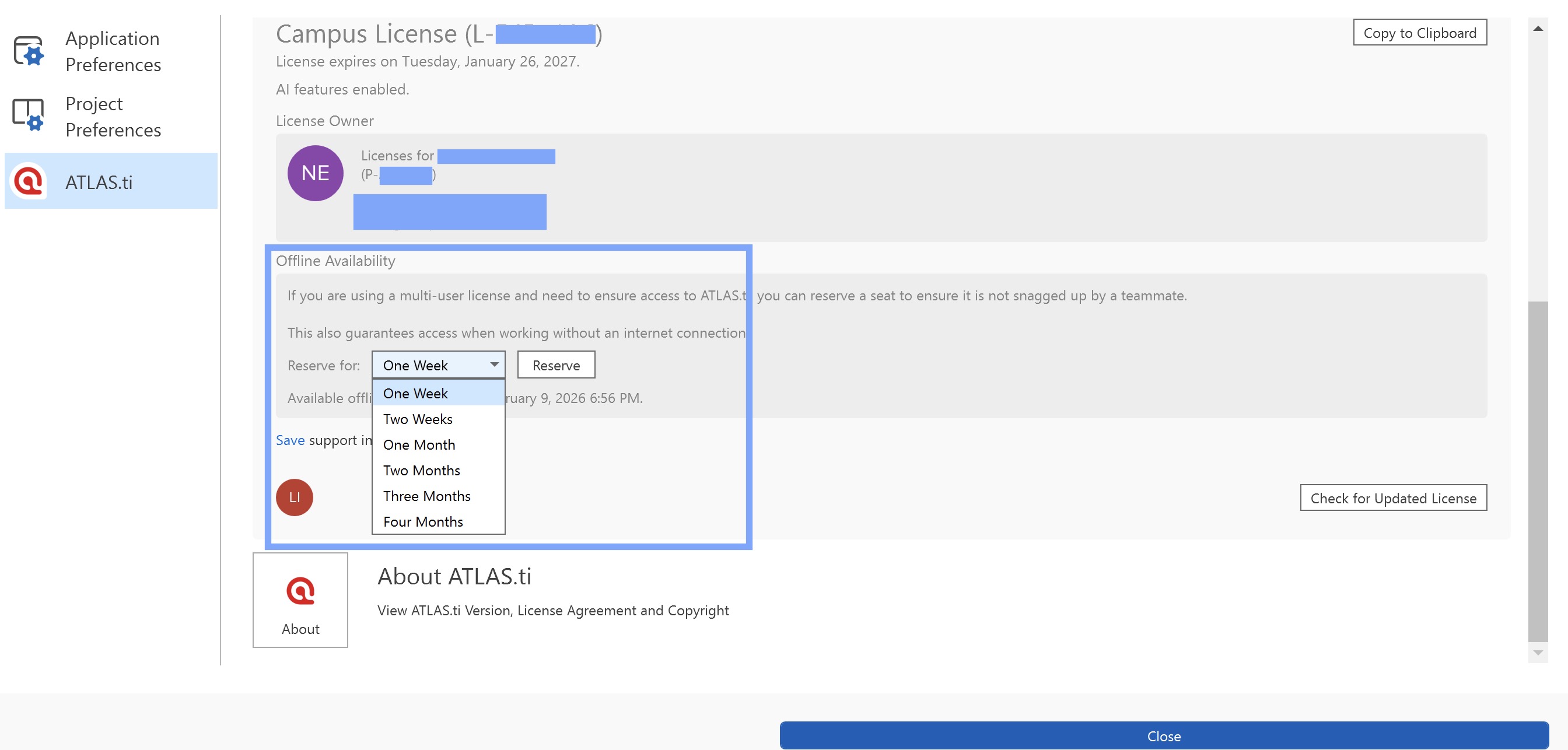
ATLAS.ti Windows
- Open ATLAS.ti.
- Go to File > Options > ATLAS.ti.
- In the License and version information section, locate Offline Availability.
- Select the desired period and click Reserve.
ATLAS.ti Mac
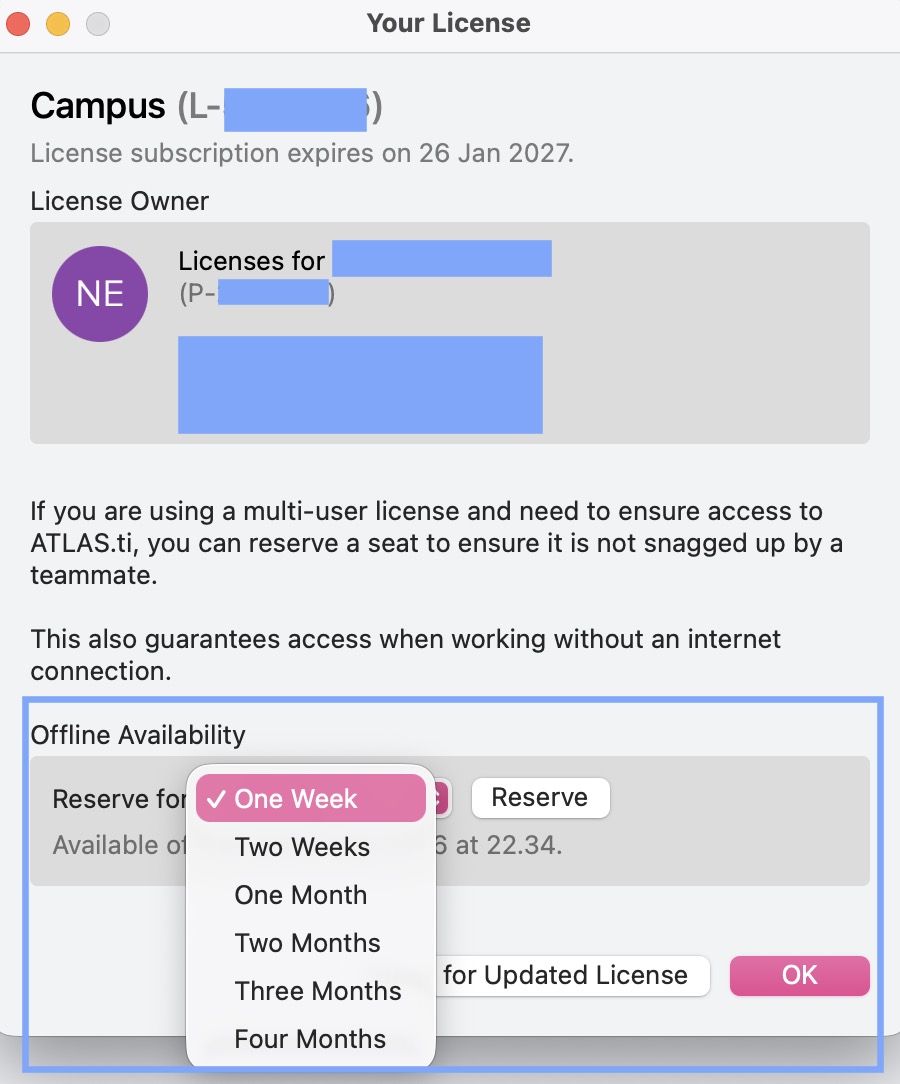
- Open ATLAS.ti.
- Go to ATLAS.ti > License.
- Locate Offline Availability.
- Select the desired period and click Reserve.
ATLAS.ti Web
- ATLAS.ti Web requires an active internet connection and does not support offline work. However, you can still reserve a license seat so it remains assigned to you and cannot be taken by other users while you are working.
- Locate the Reserve option at the bottom-left corner of the page.
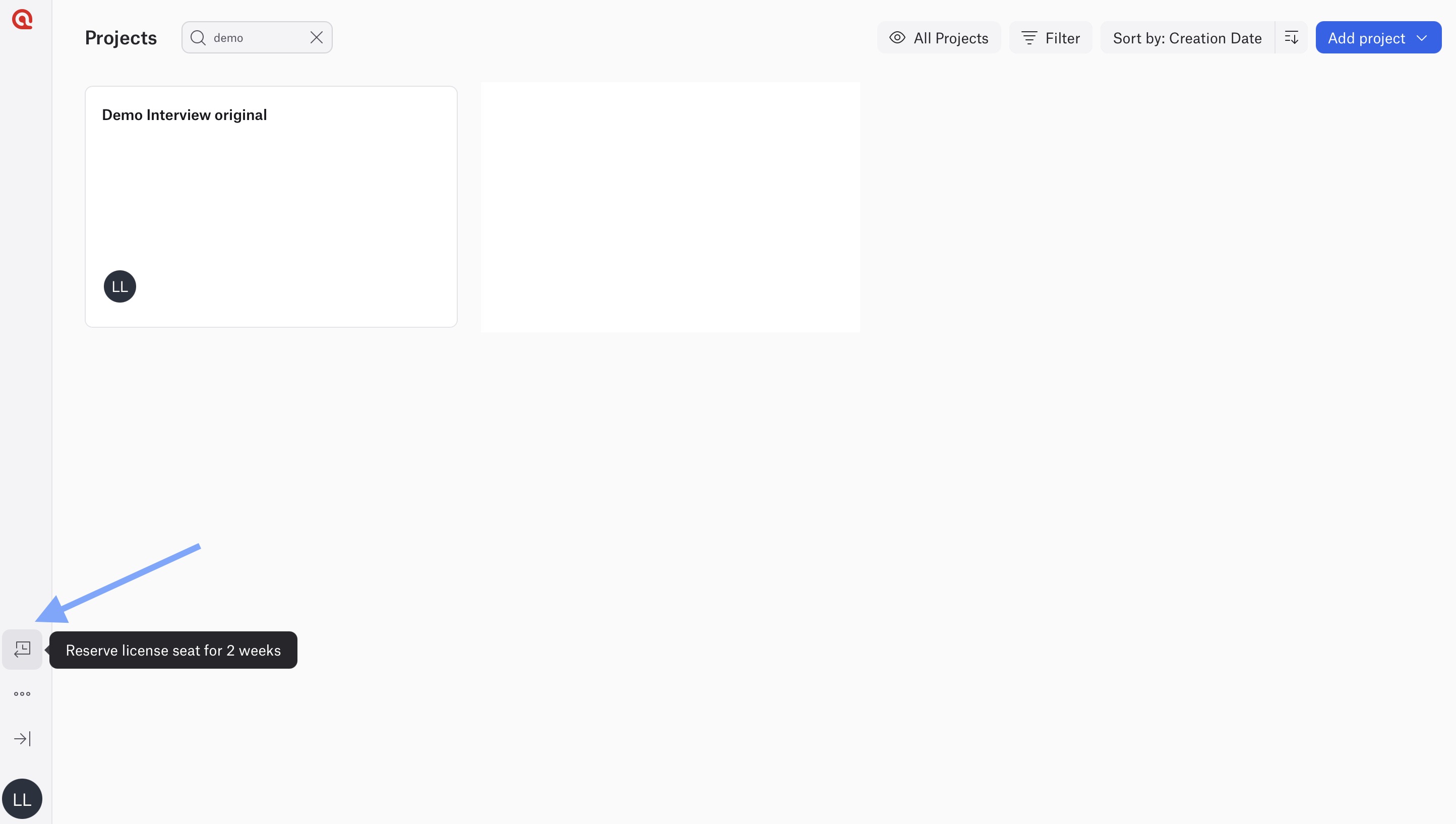
- When a seat is reserved, the reservation indicator will appear highlighted in light blue. When you hover over it, the system will display the date until which the seat is reserved.

- You can click again to remove the reservation at any time. Doing so will release the seat back to the license pool, making it available to other users again.
Common issues and mistakes
- I tried to work offline without reserving a seat first
- You must reserve the seat while online before working offline.
- I am using ATLAS.ti Web offline
- ATLAS.ti Web always requires an internet connection and does not support offline use.
- Some features are not available offline
- Certain features, such as AI tools, require an internet connection even if your seat is reserved.
- I forgot to release my reserved seat
- If you no longer need the seat, release it manually (e.g., via my.atlasti.com) so others can use it.
When to contact support
Contact ATLAS.ti Support if:
- The Reserve or Offline Availability option is not available in the desktop application
- A seat reservation fails or does not remain active
- The reservation period is not displayed correctly
- A reserved seat is released unexpectedly
When contacting support, please include:
- The email address associated with your ATLAS.ti account
- Your ATLAS.ti version (Windows or Mac)
- A description of the issue
- Screenshots or error messages, if available