
How we store your personal data vs project data
Key takeaways
- ATLAS.ti Desktop (Windows and Mac) stores your project data locally on your computer.
- ATLAS.ti Web stores projects securely in the cloud within the European Union.
- ATLAS.ti stores only minimal personal account information required for account access and license management.
- All cloud data is encrypted and hosted in certified data centers.
- ATLAS.ti complies with GDPR and international data protection regulations.

Who this article is for
Anyone using ATLAS.ti who wants to understand what personal and project data is stored, where it is stored, and how ATLAS.ti ensures data security and privacy.
Personal data stored in your ATLAS.ti account
- ATLAS.ti stores only the basic personal information necessary to provide and manage the service. This may include:
- Your name and email address
- Account identifiers used for authentication and license management
- This information is used to:
- Manage your account
- Activate and manage licenses
- Provide access to ATLAS.ti
- ATLAS.ti follows a minimal data collection principle, meaning only the data required to operate the service is processed. For full details, please refer to the official:
- Privacy Policy: https://atlasti.com/legal/privacy-policy
- Data Processing Agreement (DPA): https://atlasti.com/legal/dpa
Where your project data is stored
ATLAS.ti stores personal account data and project data separately. Project storage depends on the version of ATLAS.ti you are using.
-
ATLAS.ti Desktop (Windows and Mac)
- Projects are stored locally on your computer
- They are not uploaded to ATLAS.ti servers
- You remain fully in control of your data
- Default locations:
- Mac:
~/Library/Application Support/ATLAS.ti26 -
Windows:
C:\Users\<username>\AppData\Roaming\Scientific Software\ATLASti.26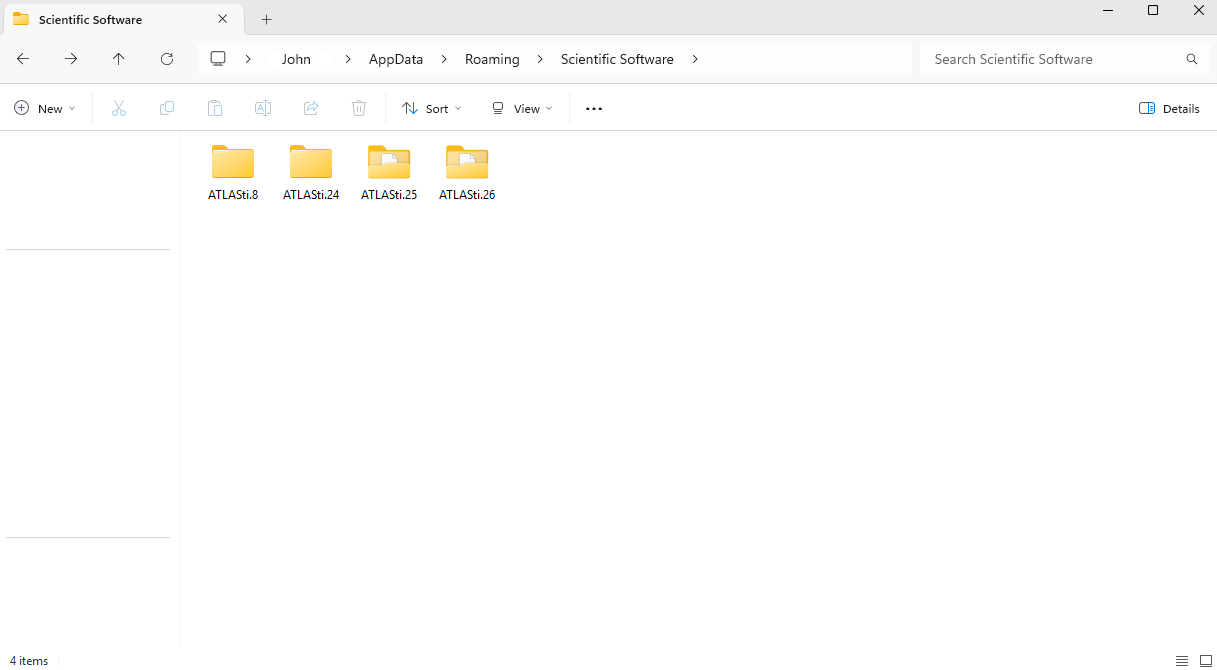
- Mac:
- License-related cache is also stored locally and may require you to log in again if cleared.
-
ATLAS.ti Web
-
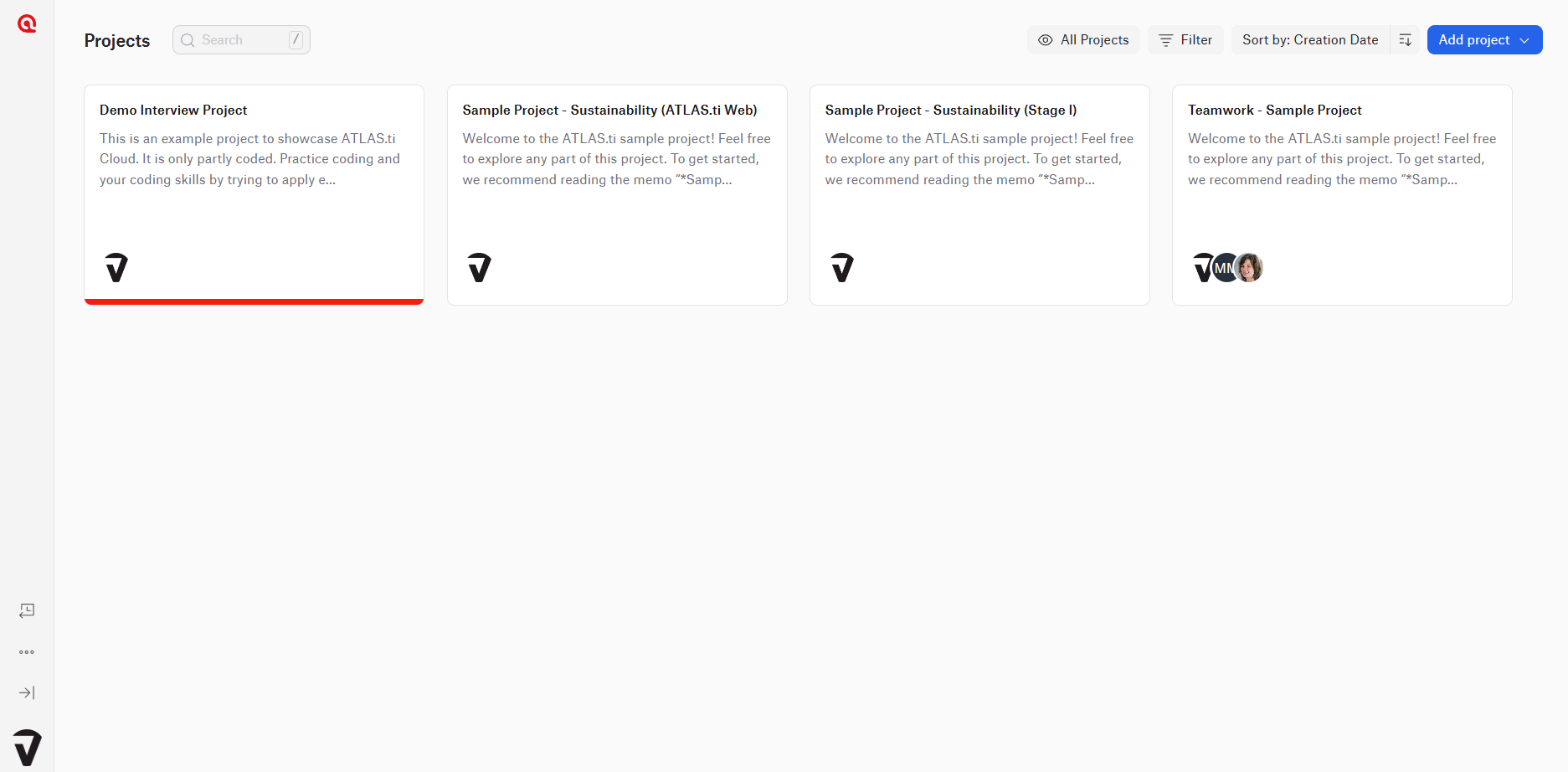
Projects created or uploaded in ATLAS.ti Web are stored securely in the cloud. Projects are accessible at web.atlasti.com
- All data is fully encrypted and protected against unauthorized access. The infrastructure is operated by SOC-compliant data center providers with internationally recognized certifications, including:
- ISO 27001
- ISO 27018
- ATLAS.ti Web is hosted on Amazon Web Services (AWS) infrastructure in Germany. All data remains within the European Union, and no data is transferred to countries outside the EU.
-
How ATLAS.ti protects your data
ATLAS.ti follows strict security and privacy standards:
- Complies with GDPR and international regulations
- Uses encrypted cloud storage and certified infrastructure
- Applies strict safeguards to prevent unauthorized access
- Organizations can request a Data Processing Agreement (DPA) for compliance purposes.
AI features and data privacy
- Some ATLAS.ti features use AI-assisted tools.
- AI features only process the data you explicitly submit for analysis
- Your data is never used to train or improve AI models
- ATLAS.ti has a Data Processing Agreement with OpenAI, including Standard Contractual Clauses (SCC)
- Your project data remains private, secure, and isolated
Account deletion and data removal
If you want to delete your account:
- You can request deletion through the account deletion process
- Your personal data will be removed in accordance with data protection policies
Common issues and mistakes
- I thought ATLAS.ti stores all my projects
- ATLAS.ti Desktop projects are stored locally on your computer and are not uploaded to ATLAS.ti cloud storage or ATLAS.ti Web unless you explicitly export, upload, or share them.
- I am concerned that my data is used to train AI models
- ATLAS.ti does not use your data to train or improve AI models. AI features only process the data you choose to submit for analysis.
- I cannot find my project on another device
- Desktop projects are stored locally. To access them on another device, you must export and import the project.
When to contact support
Contact ATLAS.ti Support or the Data Protection Team (dataprotection@atlasti.com) if:
- You have questions about how your personal data is processed or stored
- You need documentation such as the Data Processing Agreement (DPA)
- You want to request deletion of your account or personal data
- You require clarification regarding GDPR compliance or data storage practices
When contacting support, please include:
- Your account email address
- A clear description of your request or question
- Any relevant documentation or context, if applicable