
How to Request an Invoice Before Payment (Purchase Order Process)
Key takeaways
- Use the Purchase Order payment option if your organization needs an invoice before paying.
- Billing, invoicing, and payment processing are handled by Cleverbridge, the official ATLAS.ti sales partner.
- Save your Cleverbridge reference number and include it when sending your purchase order.
- Purchase orders are usually reviewed within three business days.
- Payment is due within 30 days of the invoice date.
Who this article is for
This article is for organizations that need an invoice before payment for procurement, approval, or accounting purposes.
For standard purchases, Cleverbridge issues the invoice after payment. To receive an invoice before payment, complete the purchase using the Purchase Order process below.
Request an invoice before payment
1. Add the license to your cart
Visit the ATLAS.ti online store and add the license you want to purchase.
For more than 10 seats, contact ATLAS.ti Support at general@support.atlasti.com. We will provide a custom shopping cart link.
2. Complete the checkout
Enter the billing information exactly as it should appear on the invoice.
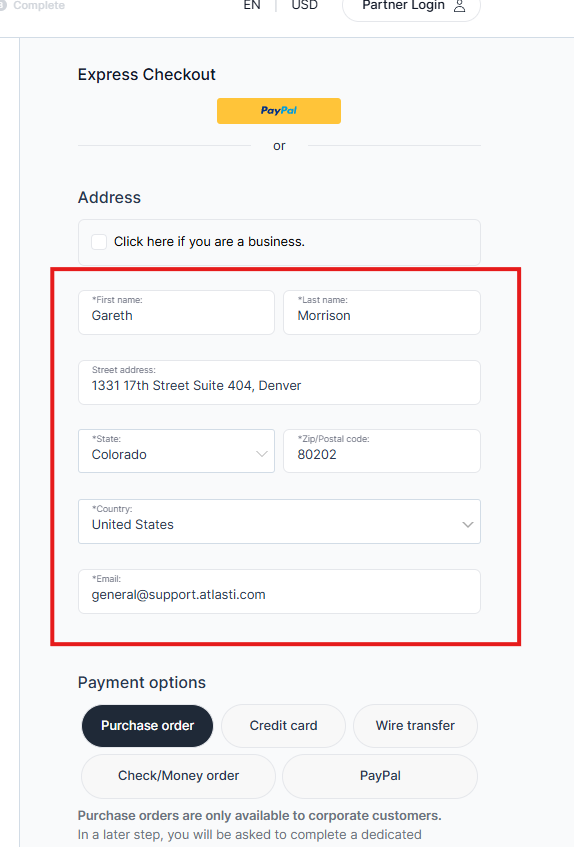
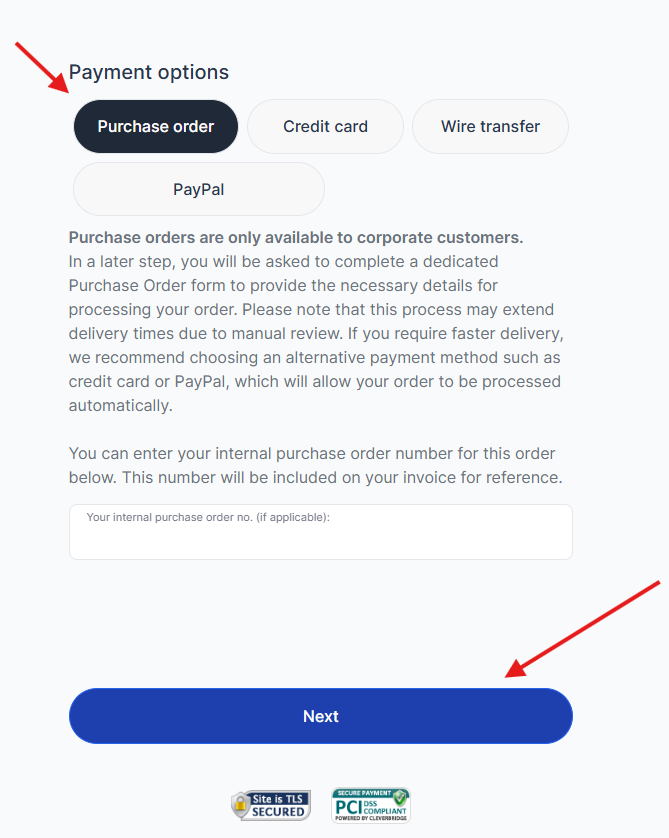
Under Payment Method:
- Select Purchase Order.
-
Click Next.
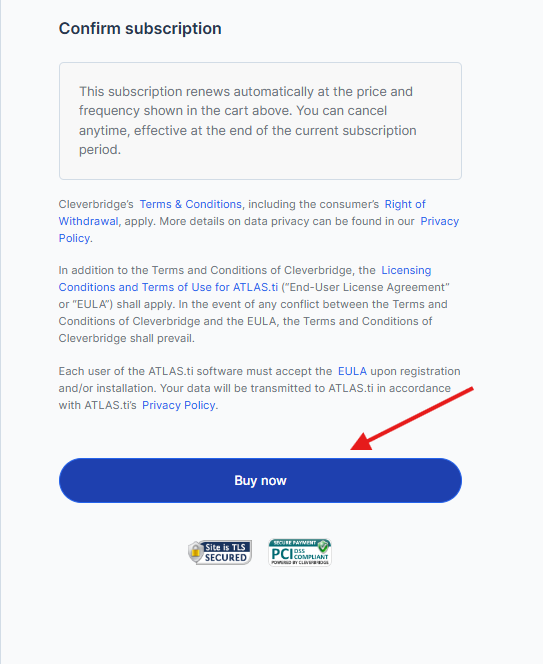
-
Click Buy now.
3. Save your Cleverbridge reference number
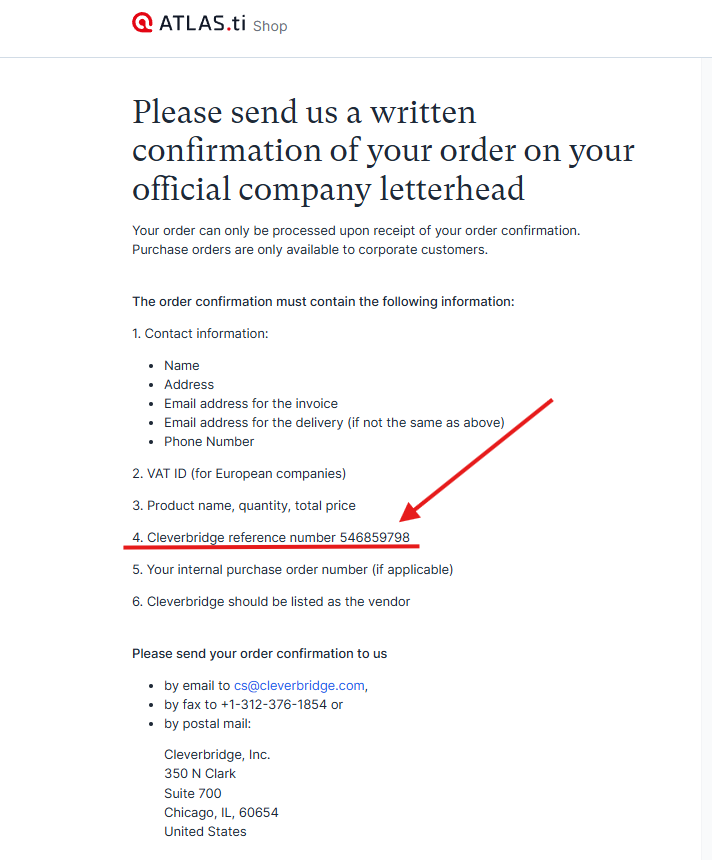
After submitting the order, a confirmation page will appear.
Save the Cleverbridge reference number shown on this page. Cleverbridge needs this number to identify and process your purchase order.
4. Send the purchase order to Cleverbridge
Email the written confirmation of your order on your official company letterhead to: cs@cleverbridge.com
Please include the following information:
- Contact information:
- Company name
- Address
- Email address for the invoice
- Email address for delivery (if different from the invoice email)
- Phone number
- VAT ID (for European companies)
- Product name, quantity, and total price
- Cleverbridge reference number.
- Your internal purchase order number (if applicable)
Cleverbridge must be listed as the vendor.
5. Wait for the review
Cleverbridge will review the purchase order and contact you directly if more information is needed.
Purchase orders are usually reviewed within three business days.
6. Receive the Invoice and License Key
Once the purchase order is approved, Cleverbridge will send the invoice with the ATLAS.ti License Key for your license.
The payment is due within 30 days of the invoice date.
Your subscription begins on the date Cleverbridge issues the invoice and license key, rather than the date payment is received.
Common issues and mistakes
- The billing details are incorrect
- Enter all billing information carefully during checkout. ATLAS.ti Support cannot modify or reissue Cleverbridge billing documents.
- The reference number was not included
- Always include the Cleverbridge reference number when emailing your purchase order. Missing information may delay approval.
- No response was received
- Check the Spam or Junk folder. If no response arrives after a few business days, follow up with Cleverbridge at cs@cleverbridge.com.
When to contact support
- Contact Cleverbridge at cs@cleverbridge.com for:
- Purchase order processing
- Invoices
- Payments
- Refunds
- Tax documents
- Billing corrections
- Contact ATLAS.ti Support at general@support.atlasti.com or in our Support Center for:
- Questions about license types
- Orders for more than 10 seats
- Software or account management questions
- Help choosing the appropriate license