
How to use memos in ATLAS.ti
Key Takeaways
- Memos help you capture reflections, interpretations, coding decisions, methodological notes, and emerging findings throughout your analysis process.
- You can create, organize, group, link, and export memos in ATLAS.ti Windows, Mac, and Web.
- Memos are especially useful for thematic analysis, grounded theory, literature reviews, audit trails, reflexive analysis, and theory development.
- Memos can be linked to quotations, codes, documents, and networks to connect analytical thinking directly to the data.
- In ATLAS.ti Web, you can also insert quotations directly into memos from quotation results or Views.
Who this article is for
Anyone who wants to use memos in ATLAS.ti to organize ideas, document analytical decisions, track interpretations, or support qualitative analysis workflows.

What are memos in ATLAS.ti?
Memos are spaces where you can record:
- analytical reflections
- interpretations
- coding decisions
- methodological notes
- emerging themes
- theoretical ideas
- summaries
- findings
- research questions
- reminders
Memos are one of the most important tools in qualitative analysis because they help move your project from coding toward interpretation and theory development.
Researchers commonly use memos to:
- define and refine analysis goals
- track the analysis process
- capture findings and conclusions
- develop theories and conceptual frameworks
- support report or dissertation writing
Examples of memo types include:
- coding memos
- theory memos
- methodological memos
- interview summary memos
- literature review memos
- reflexive memos
- project planning memos
How to create and use Memo in ATLAS.ti Web
-
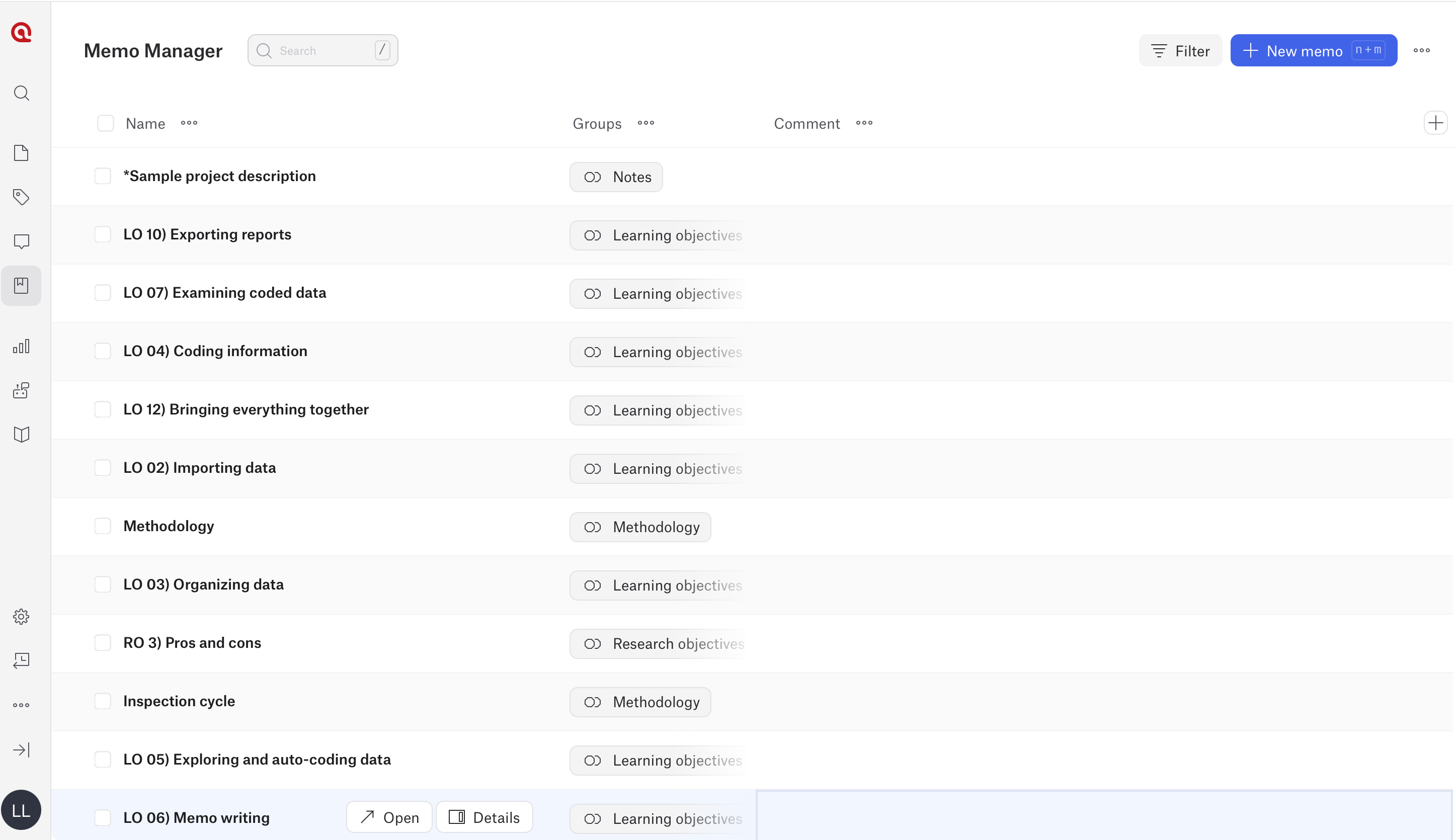
Create a memo
- Open the Memo Manager from the left-hand menu.
- Click New Memo.
- Enter a memo name.
- Start writing.
-
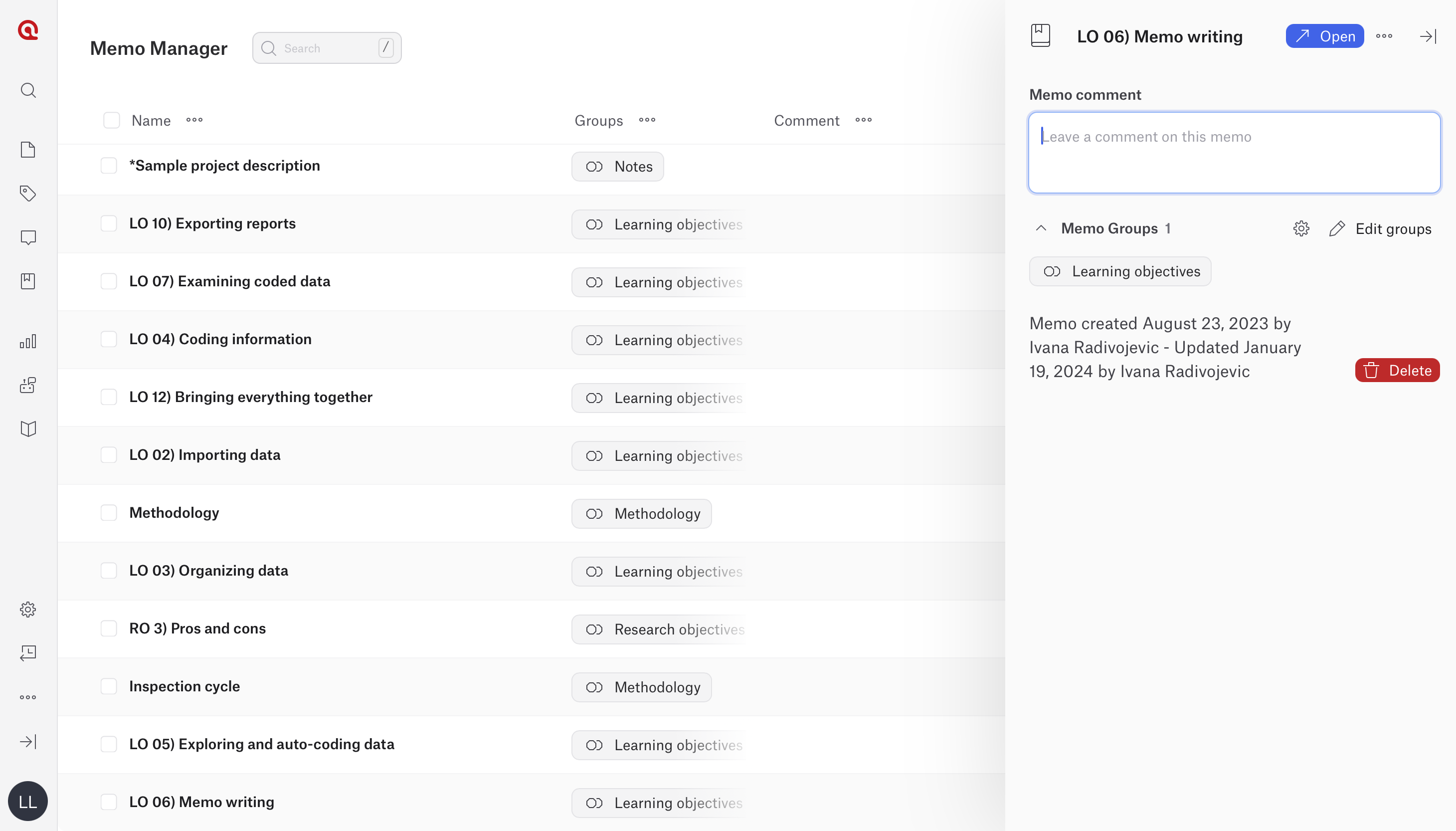
Add memo comments
Each memo includes a comment area where you can describe:
- the purpose of the memo
- coding rules
- related research questions
- theoretical relevance
- methodological decisions
To add comments:
- Open the Memo Manager.
- Click Details to open the sidebar.
- Write in the comment area below the memo name.
-
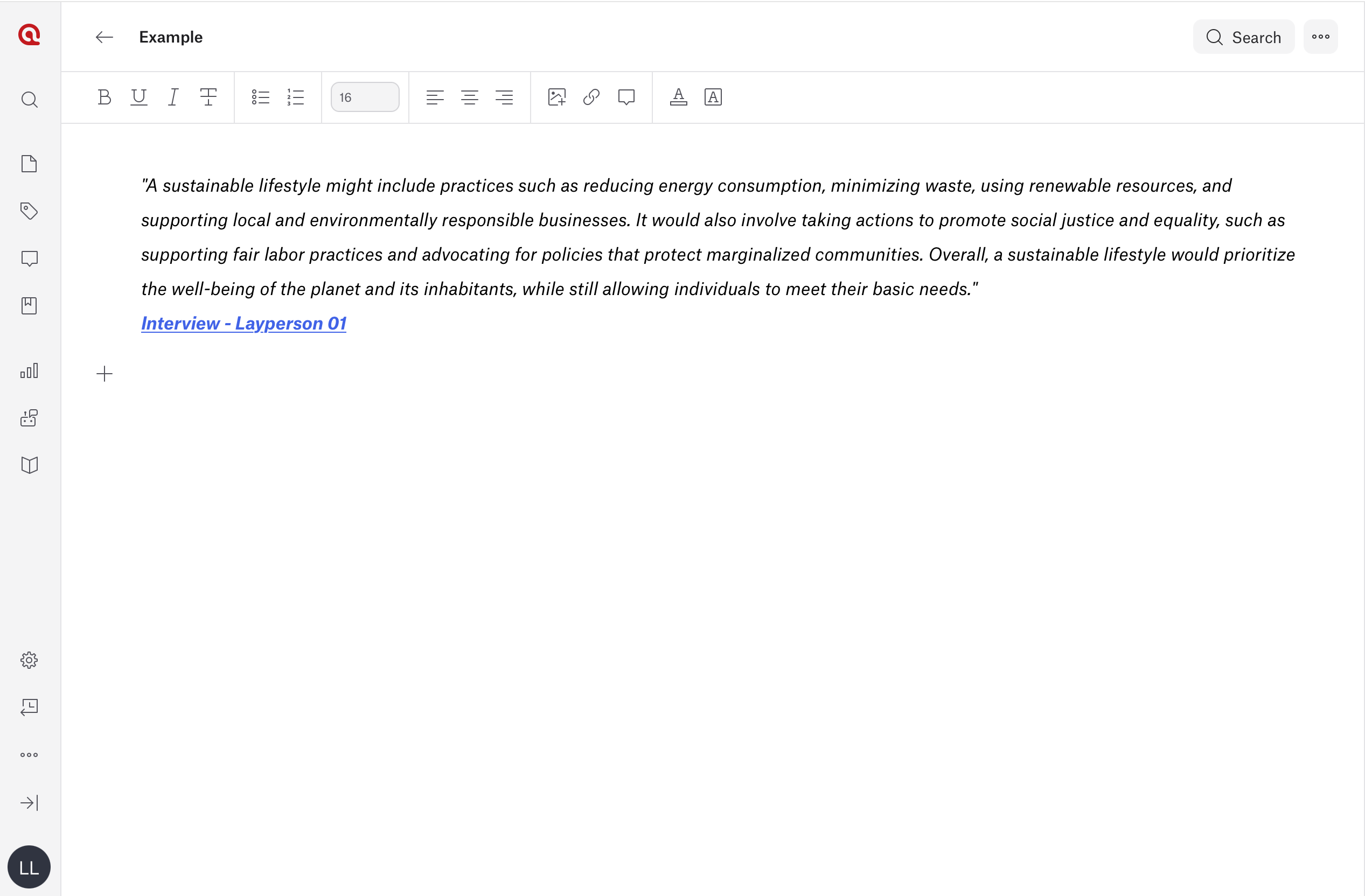
Insert quotations into a memo
You can insert quotations directly into memos to connect interpretations with supporting evidence.
- Open a memo.
- Click the + New Memo button
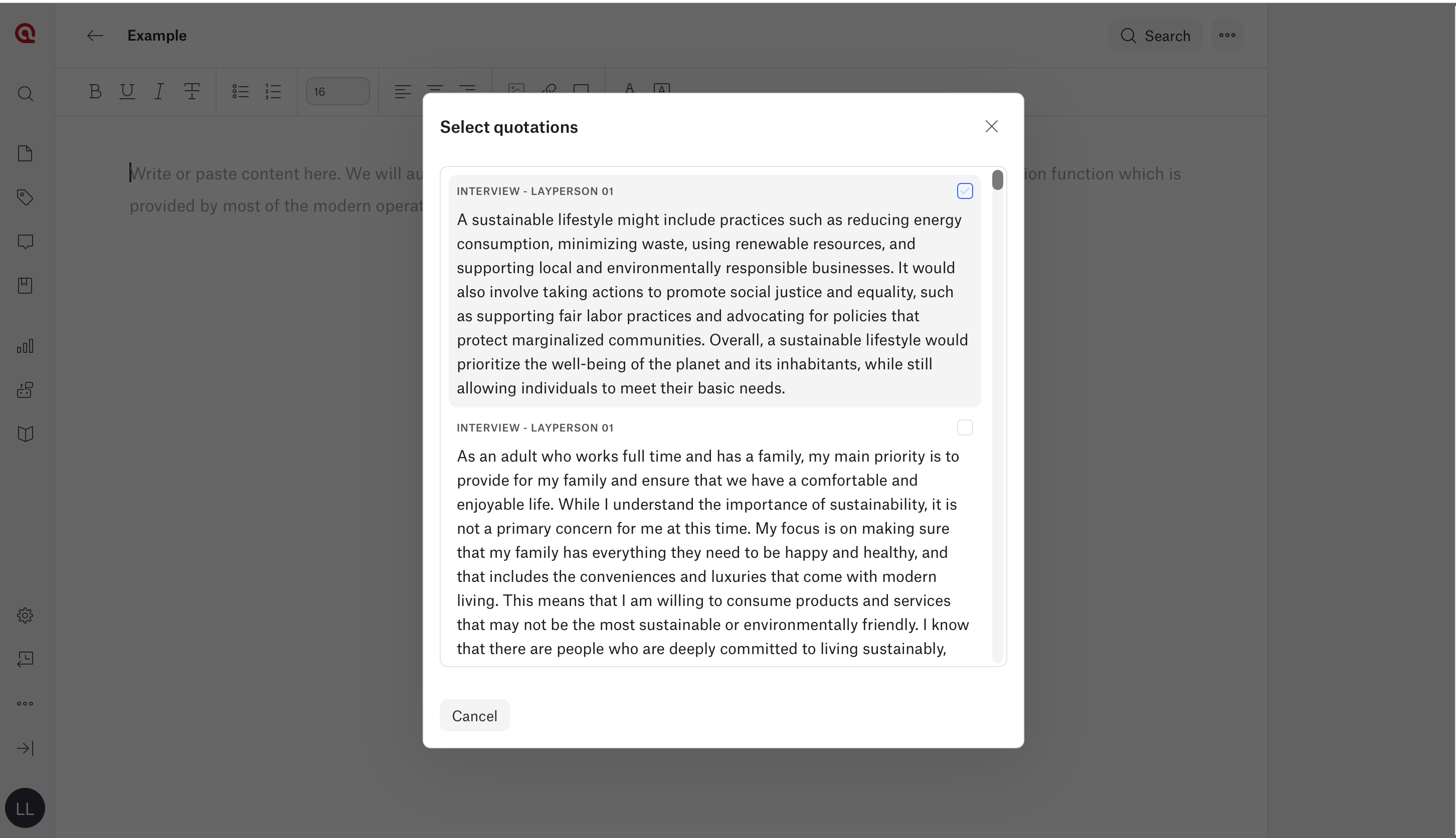
- Select the Insert quotation icon to insert quotations into the memo.
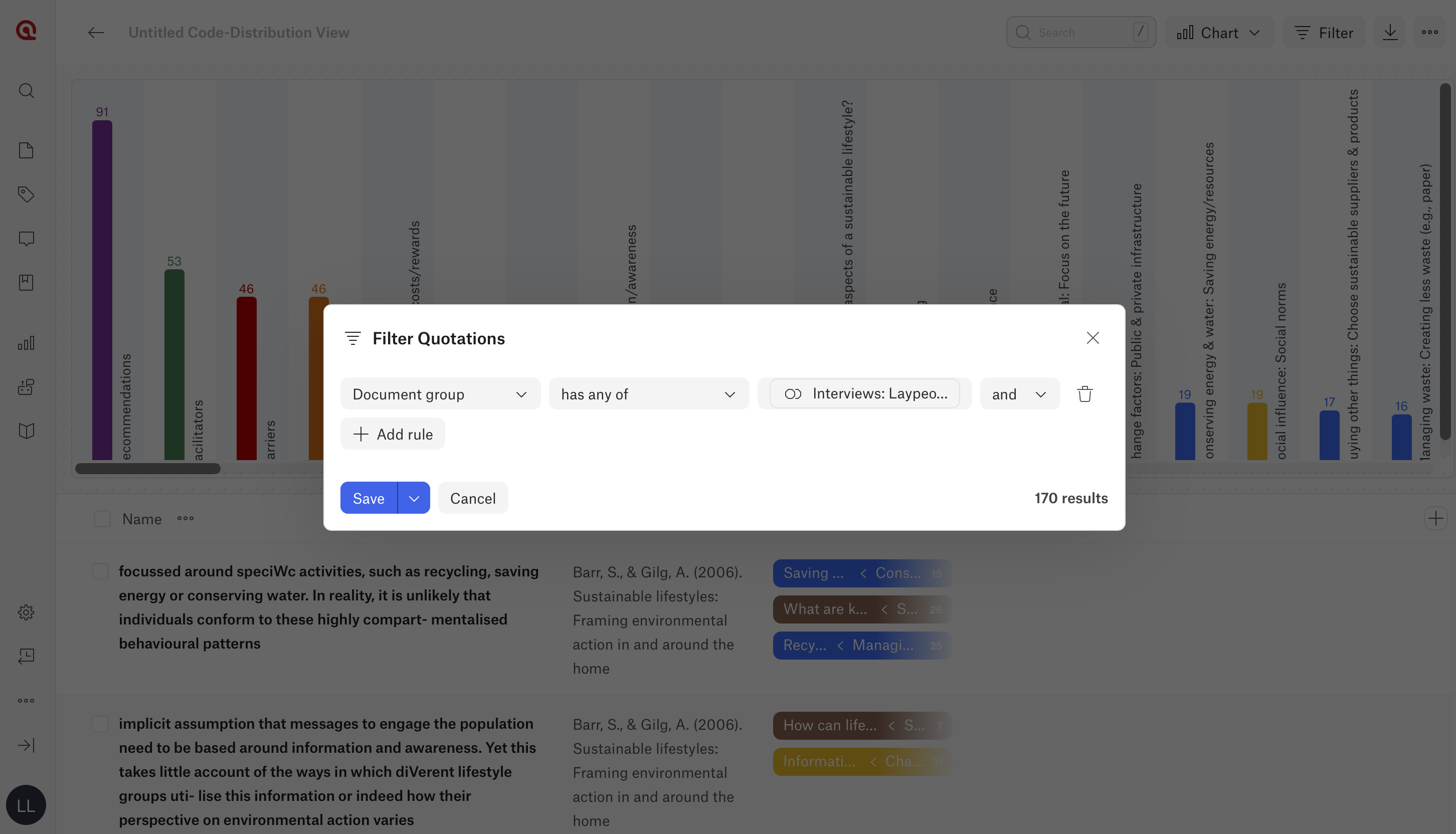
- Before inserting quotations, create a relevant View. For example, create a Code Distribution View and filter it for the document group Layperson Interviews.
- When selecting the insert quotation option, the available Views and analysis results will appear at the top of the window.
- Select the quotations you want to insert into the memo.
- Add your reflections, interpretations, or analytical notes below the inserted quotations.
ATLAS.ti Web inserts the quotation text together with the document name.
-
Organize memos with groups
Memo groups help organize analytical work.
To create memo groups:
- Open the Memo Manager.
- Click Details.
- Open Manage Groups using the gear icon.
- Create a new group.
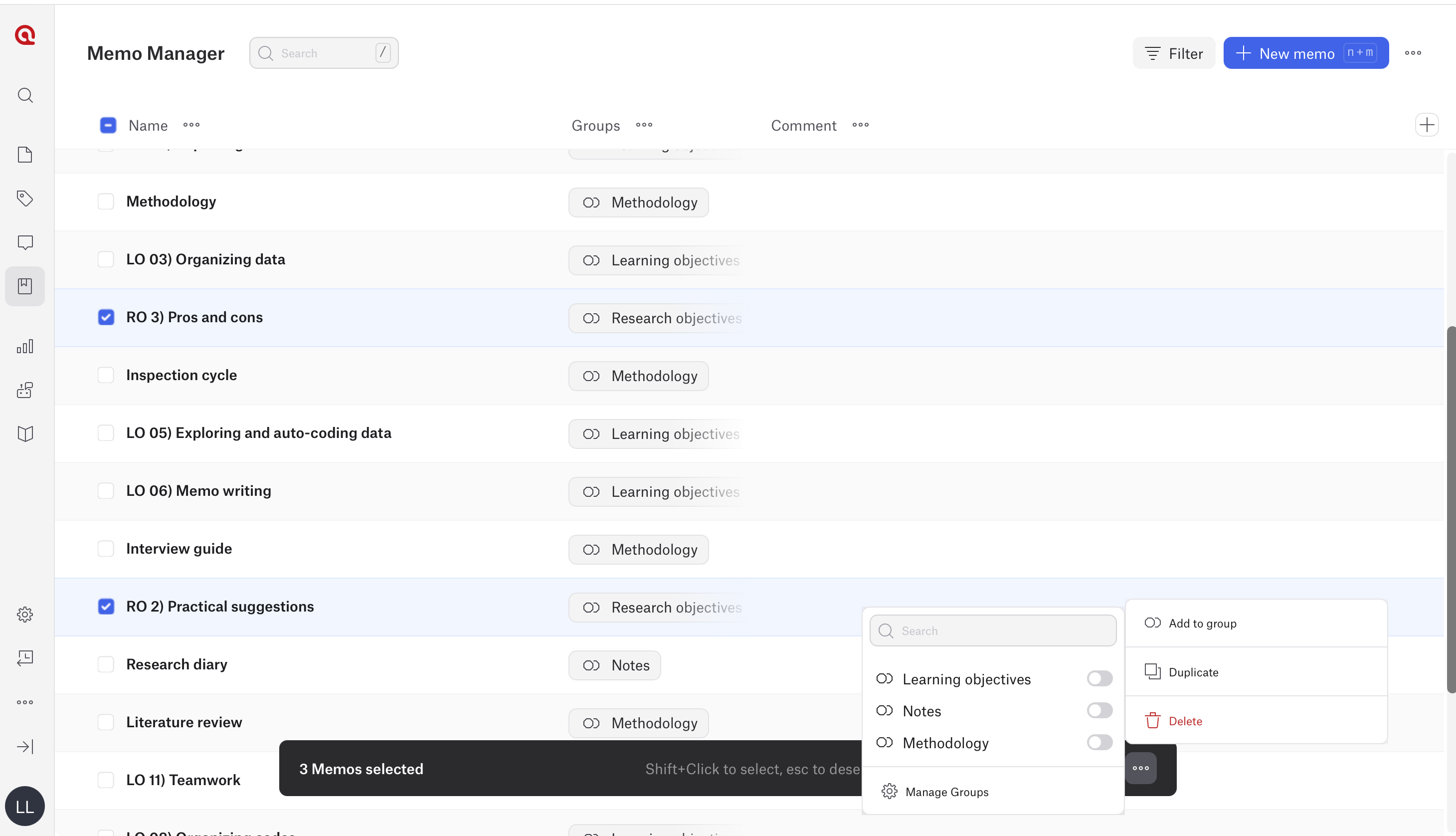
To add memos into groups:
- Select one or more memos using the checkboxes.
- Click the three dots menu at the bottom of the screen.
- Select Add to Group.
- Choose the group.
A memo can belong to multiple groups.
How to create and use Memo in ATLAS.ti Desktop ( Windows and Mac)
-
Create a memo
- In ATLAS.ti Windows: Go to Memo > Memos > New Memo
- In ATLAS.ti Mac: Go to Memo > New Memo.
- Enter a memo title.
- Start writing.
You can also create memos directly while working with quotations, codes, documents, or networks.
-
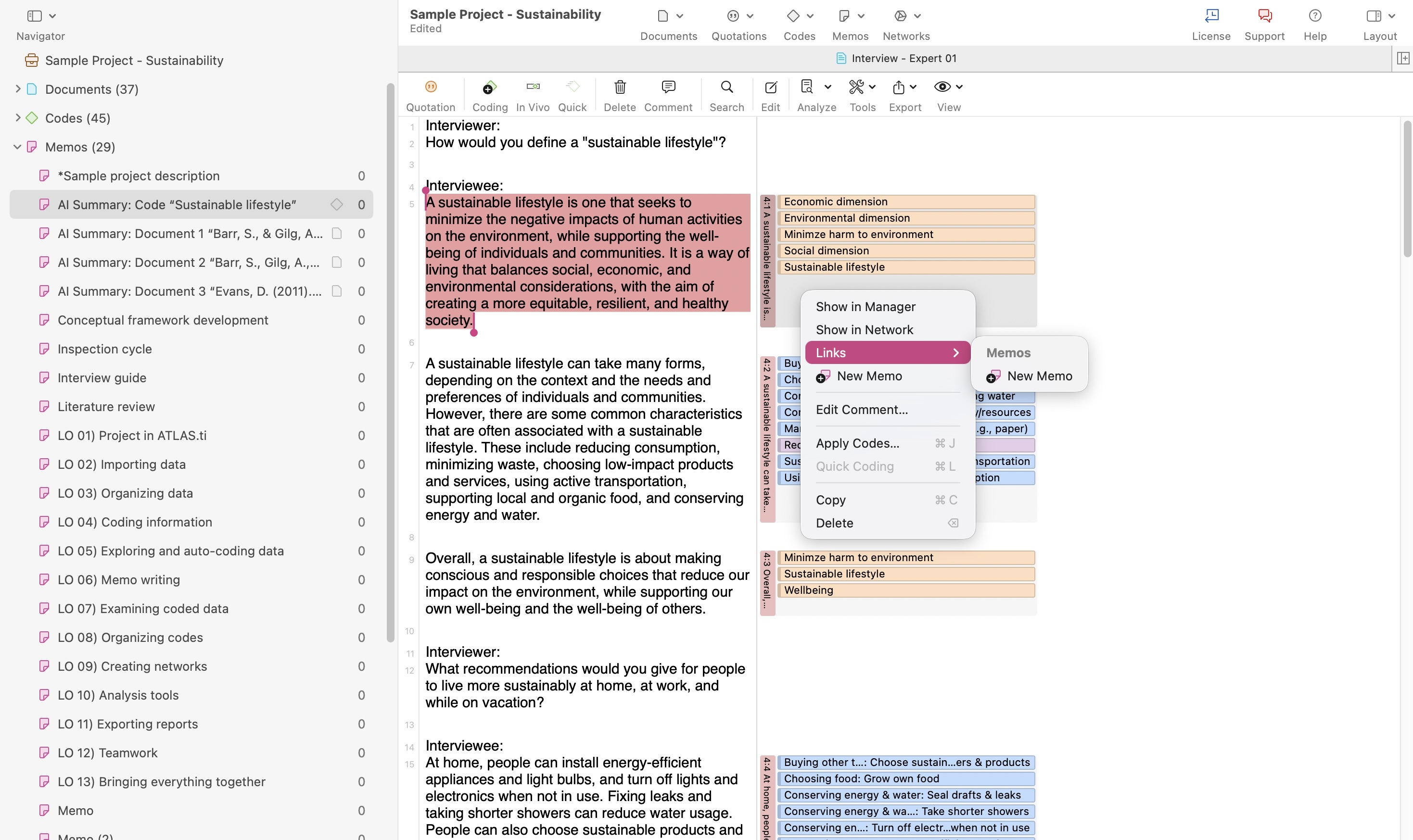
Link memos to quotations or codes
Memos can be linked to project entities to connect analytical thinking with the data.
To link a memo:
- Select a quotation, code, or document.
- Right-click the item.
- Select the option to create or link a memo.
You can also drag and drop memos onto quotations, codes, or documents from the side panel.
-
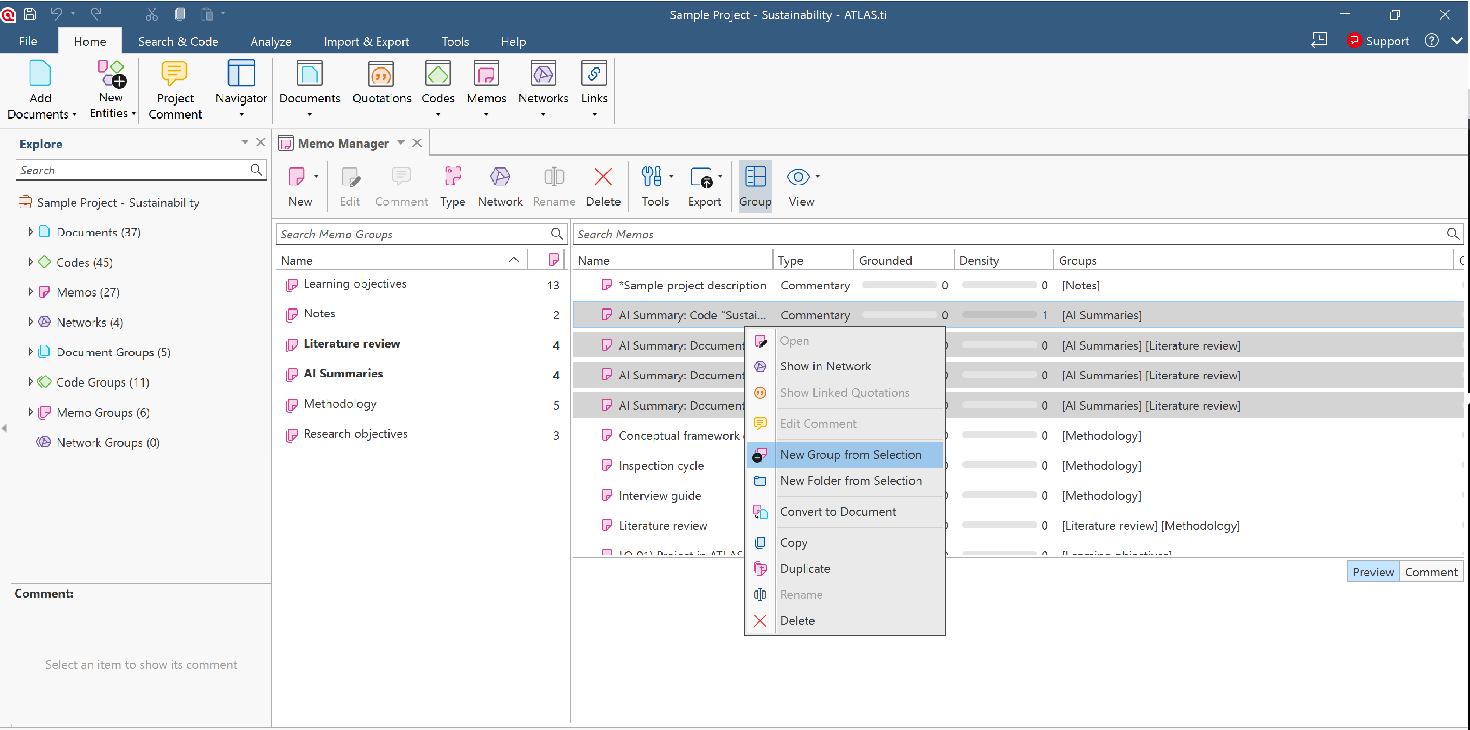
Organize memos in the Memo Manager
You can organize memos into groups based on:
- themes
- methodology
- participant groups
- theory
- stage of analysis
In ATLAS.ti for Windows and Mac: Select the memo(s), right-click and select ‘New group from selection’ or drag and drop it to the left side to create a group.
-
Use memos during coding and analysis
Memos are especially useful while:
- coding interviews
- comparing quotations
- identifying themes
- refining categories
- building grounded theory
- writing findings
Examples:
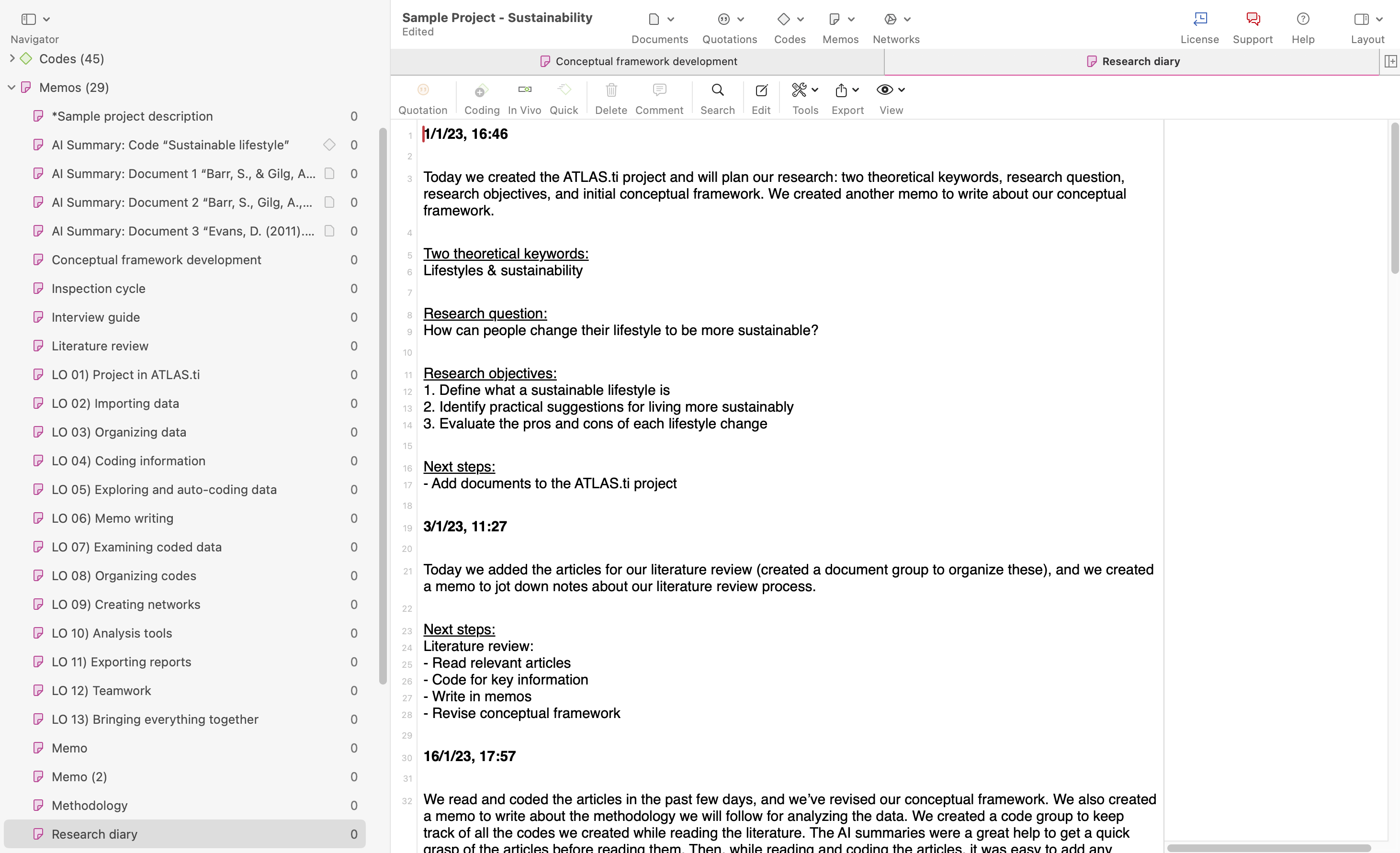
- Research diary
- summarize an interview after coding
- explain why a code was created
- compare participant perspectives
- describe emerging themes
- draft parts of the final report
-
Add memos into Networks
- Open a Network.
- In ATLAS.ti Windows and Mac, go to Network > New Network.
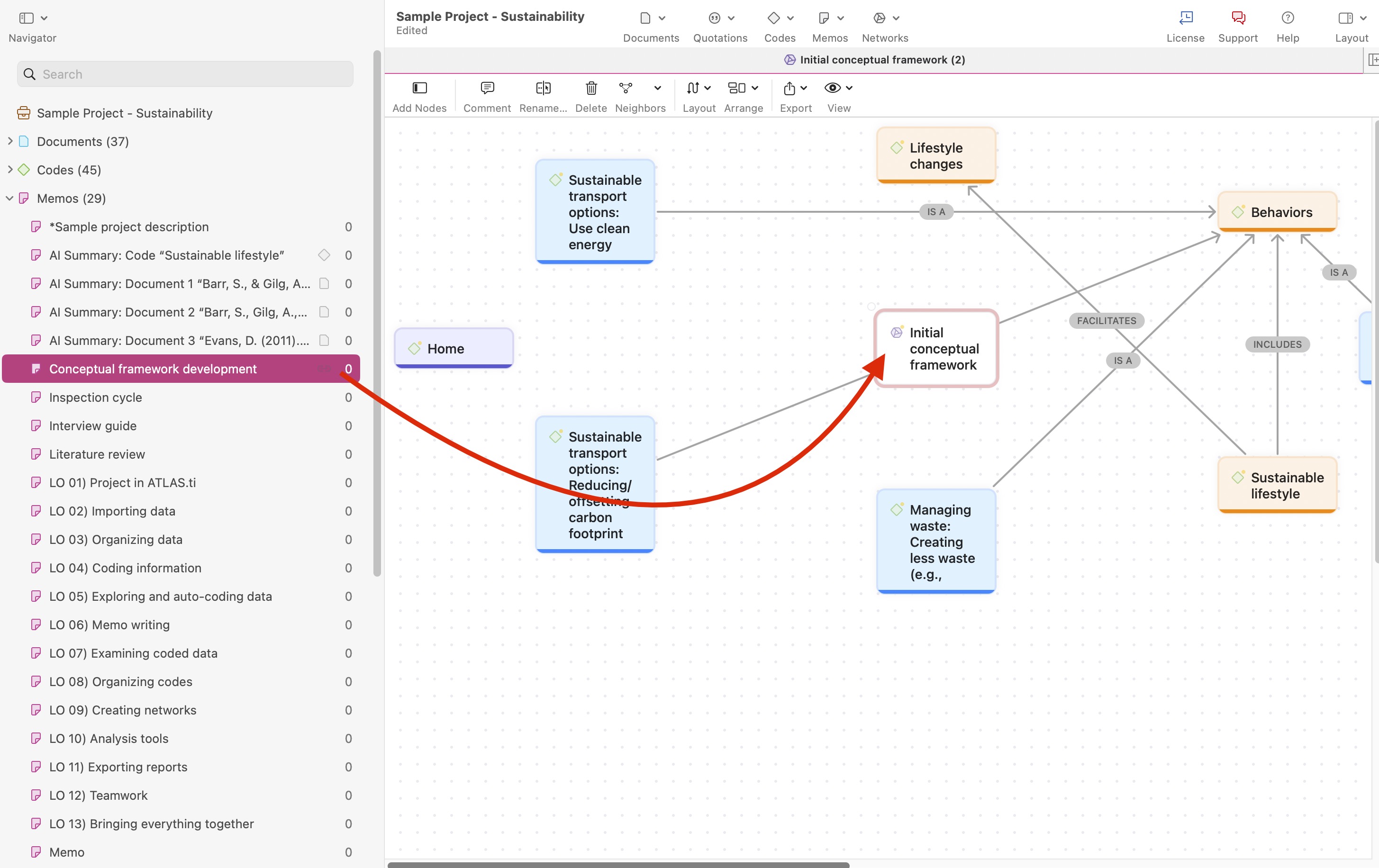
- Drag a memo or other project entities (such as codes, quotations, or documents) into the Network workspace.
- To create a linked memo directly from a node:
- Right-click on the node.
- Select Link Memo or New Memo.
- You can also drag and drop existing memos from the left-side panel into the Network workspace and connect them to other nodes.
- Use links to visually connect memos with related codes, quotations, documents, categories, or themes.
-
Export memo reports
You can export memos as reports for writing or documentation.
- Open the Memo Manager.
- Select one or more memos.
- Export the memo report by clicking on Export option.
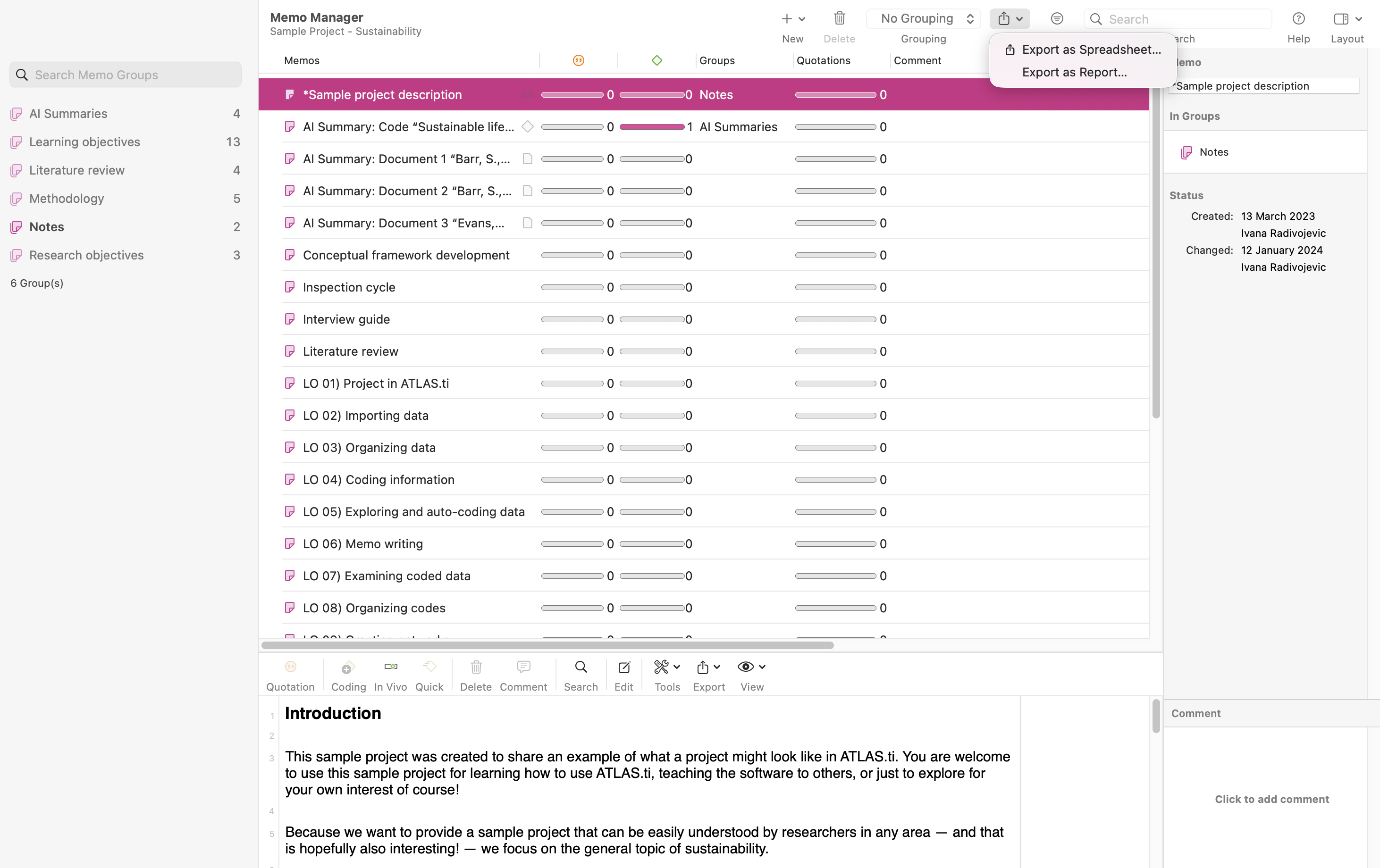
Available export formats include:
- Word
- Excel
Tips for writing effective memos
Good memos are usually:
- specific
- analytical
- reflective
- connected to the data
- written regularly throughout the project
Helpful questions while memoing include:
- What does this quotation mean?
- Why is this code important?
- How are these themes related?
- What patterns are emerging?
- What contradictions appear in the data?
- How is my interpretation changing?
Common issues and mistakes
- Waiting too long to write memos
- Write memos throughout the project, not only at the end of the analysis.
- Treating memos only as summaries
- Memos should include interpretation, reflection, analytical thinking, and methodological decisions — not only descriptions.
- Forgetting to connect memos to the data
- Link memos to quotations, codes, documents, or networks whenever possible.
- Creating too many unclear memos
- Use descriptive memo titles and organize memos into groups to keep your project manageable.
- Not reviewing earlier memos
- Revisit older memos regularly. Earlier reflections often become important during theory development and writing.
- Using memos without organizing them
- Memo groups can help separate methodological notes, coding reflections, literature review notes, and findings drafts.
When to contact support
Contact ATLAS.ti Support if:
- memos cannot be created or saved
- memo groups are missing or not updating correctly
- quotations cannot be inserted into memos in ATLAS.ti Web
- memo reports fail to export
- linked memos do not appear correctly
- projects cannot be transferred between platforms
- memo content appears missing after syncing or importing a project
When contacting support, please include:
- your ATLAS.ti platform (Windows, Mac, or Web)
- your ATLAS.ti version, if using Desktop
- screenshots or error messages
- a description of your workflow and what happened